
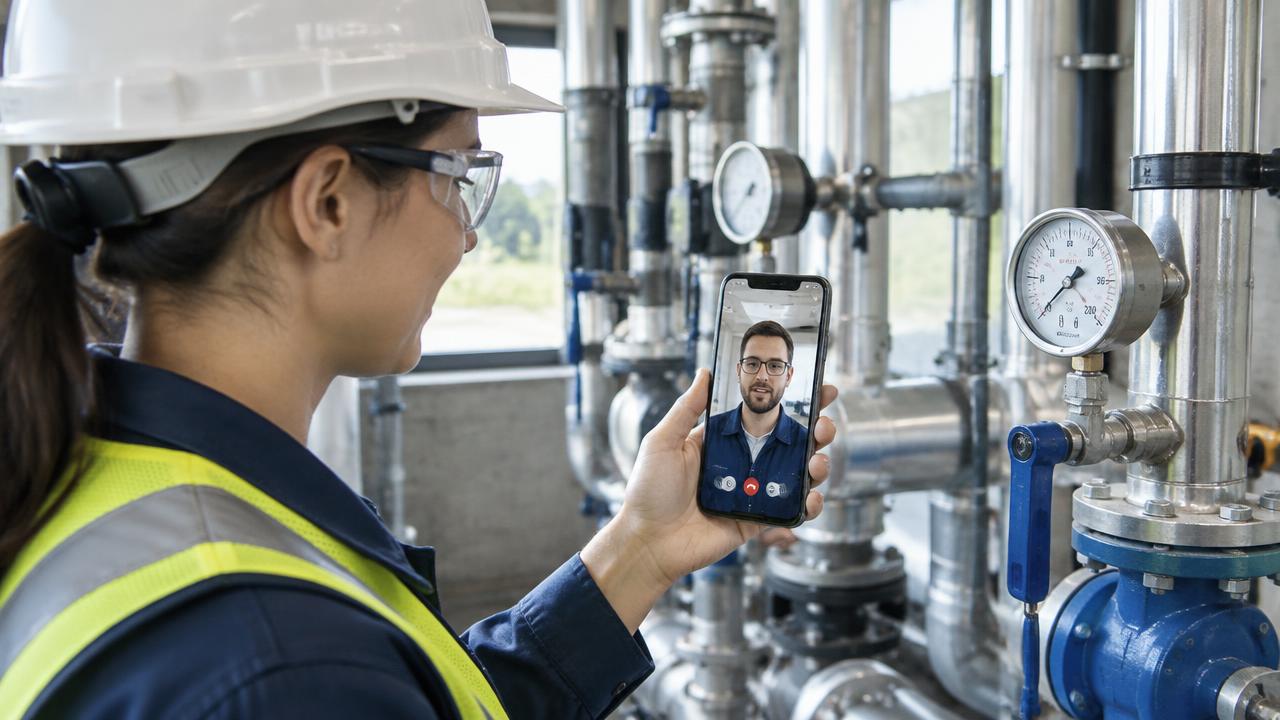
A remote visual inspection is an inspection where a qualified reviewer verifies the condition of a property, asset, or work site through live video, recorded video, or guided photo capture instead of traveling to the location in person. The reviewer sees what an on-site contact's camera shows, directs the walkthrough in real time, and documents findings with timestamped, location-verified evidence.
Organizations adopt remote visual inspection for one simple reason: most inspections do not require the inspector's hands, only their eyes and judgment. When you remove the drive time, one inspector can complete far more inspections per day, and the person waiting on a result gets an answer in hours instead of days.
What is a remote visual inspection?
A remote visual inspection (sometimes called an RVI, remote video inspection, or virtual inspection) is any structured visual assessment performed over a video connection. The remote party is the decision-maker: a building inspector, a quality engineer, an insurance adjuster, a lender's reviewer, or a senior technician. The on-site party is a pair of hands and a camera: a contractor, a homeowner, a field technician, or a facility manager.
What separates a real remote visual inspection from an ordinary video call is structure. A proper session includes identity and location confirmation, a guided walkthrough with the reviewer directing the camera, captured evidence (photos, video clips, measurements) tied to the record, and a documented result. Consumer video apps can show you a room; a remote visual inspection system produces a defensible record.
How does a remote visual inspection work, step by step?
While details vary by industry, nearly every remote visual inspection follows the same six-step backbone:
Schedule. The requester books a time through a portal, app, or phone call and provides the address, inspection type, and contact details.
Connect. At the scheduled time, the on-site contact joins from a smartphone or tablet. No special equipment is needed beyond a device with a camera and a reasonable connection.
Verify location and identity. The reviewer confirms the address, often by asking the contact to show the posted street number, and modern platforms stamp the session with GPS coordinates and time.
Guide the walkthrough. The reviewer directs the camera: pan slowly across the panel, hold on the serial number, measure that clearance. The on-site person simply follows instructions.
Capture evidence. Photos, video clips, screen annotations, and measurements are saved to the inspection record as they happen, not reconstructed later from memory.
Report. The reviewer issues a pass, a correction list, or a documented finding, often before the call ends, and the full evidence trail is attached to the report.
What equipment do you need for a remote visual inspection?
The short answer: a smartphone. The longer answer depends on which side of the call you are on.
On-site contact: a smartphone or tablet with a working camera, a stable cellular or Wi-Fi connection, and decent lighting. A flashlight helps in attics, crawlspaces, and electrical rooms. A tape measure covers most dimensional checks. That is the whole kit for the vast majority of inspections.
Remote reviewer: a computer with a browser and the inspection platform. Reviewers who handle high volumes often add a second monitor so they can watch the live feed on one screen and complete the checklist or report on the other.
Optional tools that some programs add include endoscopic or borescope cameras for wall cavities, drones for roofs and towers, and thermal cameras for electrical and moisture work. These are accessories to the same workflow, not prerequisites.
Where does remote visual inspection pay off the most?
Remote visual inspection delivers the strongest return in high-volume, geographically dispersed, or time-sensitive work:
Building departments. Permit inspections for residential work such as water heaters, HVAC changeouts, solar, and re-roofs. Cities running remote programs report inspectors completing roughly double the inspections per day when drive time is removed, and California's AB 1738 now requires covered building departments to offer remote inspections for specified residential work by 2028.
Insurance claims and underwriting. First notice of loss triage, minor property claims, and renewal inspections. Carriers use live video to document damage the same day it is reported instead of waiting days for a field visit.
Construction lenders. Draw inspections that release funds. A remote draw review can turn a multi-day scheduling cycle into a same-day verification, which keeps projects and payments moving.
Field service and equipment support. A senior technician who can see the customer's equipment live resolves more issues on the first contact and dispatches a truck only when one is truly needed.
Manufacturing and quality. Supplier audits, pre-shipment checks, and line-side problem solving where the expert and the equipment are in different cities or countries.
How much does a remote visual inspection cost compared to an in-person visit?
The economics come from eliminating travel. A single in-person inspection typically carries 30 to 90 minutes of drive time plus vehicle costs, on top of the inspection itself. Industry analyses of field service put the fully loaded cost of a single truck roll anywhere from roughly $150 to over $1,000 depending on industry and region, and a large share of those visits turn out to be unnecessary or could have been resolved remotely.
Remote visual inspection software is usually priced as a per-user subscription, so the break-even point arrives quickly: for most teams, avoiding a handful of site visits per inspector per month covers the entire software cost. Everything after that is recovered time, faster turnaround, and more inspections completed with the same staff.
Is a remote visual inspection legally accepted?
Acceptance depends on the authority having jurisdiction, but the trend is clearly toward formal recognition. In construction, the International Code Council has published guidance for remote virtual inspections, and jurisdictions across the United States have run remote inspection programs for years. California went further with AB 1738, signed in 2024, which requires covered cities and counties to offer remote inspections for specified residential projects by 2028. In insurance, lending, and manufacturing, remote visual verification is already standard practice at many organizations, provided the evidence trail is complete.
The common thread in every acceptance framework is evidence quality: verified location, timestamped capture, and a complete record of what was seen. That is why purpose-built platforms matter more than generic video calls.
What should you look for in remote visual inspection software?
If you are evaluating remote visual inspection tools or services, the capabilities that separate a professional system from a video chat app are:
Verified capture. GPS location, timestamps, and tamper-evident photos so the evidence stands up to scrutiny.
Guided workflows. Checklists that walk the on-site contact through exactly what to show, so nothing is missed.
Live annotation. The reviewer can draw on the shared image to point at exactly what needs attention.
Automatic reports. The session's evidence assembles into a professional report without re-typing.
No app install for guests. The on-site contact should be able to join from a link in a text message.
Recording and audit trail. A complete record of who saw what, when, and where.
You can see how these capabilities come together on our features page, or try the workflow yourself with a 14-day free trial.
Frequently asked questions
Is a remote visual inspection as thorough as an in-person inspection?
For the large category of inspections that are primarily visual, yes. The reviewer sees the same details, can ask for close-ups, measurements, and different angles, and often captures better documentation than a clipboard visit. Work that requires physical testing, such as torque checks or pressure tests, still needs hands on site.
What happens if the connection drops?
Modern platforms reconnect automatically and preserve everything captured before the drop. For areas with poor signal, guided self-capture modes let the on-site contact record the required views and upload them when connectivity returns.
Who can be the on-site contact?
Anyone who can hold a phone and follow instructions: a contractor, homeowner, tenant, or facility staff member. The expertise lives with the remote reviewer, not the person holding the camera.