
Disclosure: Virtual Support Pro is made by our company, Virtual Inspection Pro. We rank it #1 for visual, customer-facing support because that is the job it was built for, and we explain exactly why below. Every other tool on this list is a strong product, and for some teams one of them will be the better choice. We point out when that is the case.
Remote support software lets a support agent, technician, or expert help someone who is somewhere else, without a site visit. There are two very different kinds. Remote desktop tools let an IT technician see and control a computer. Visual (video) remote support tools let an agent see the customer's real-world problem through their phone camera, a leaking water heater, a blinking error light, a damaged roof, and guide them to fix it. Most "best remote support software" lists mix the two together. This one separates them so you can pick the right kind first, and then the right product.
Quick answer: the 12 best remote support software tools
Virtual Support Pro: best for visual customer support over live video and screen share, with no app download.
TeamViewer: best all-round remote desktop and enterprise remote access.
ConnectWise ScreenConnect: best for managed service providers (MSPs) who want deep control and self-hosting.
BeyondTrust Remote Support: best for security-heavy and regulated enterprises.
Splashtop: best value remote desktop support for small and mid-size IT teams.
AnyDesk: best for fast, lightweight remote desktop connections.
Zoho Assist: best for teams already using the Zoho suite.
GoTo Resolve: best combined remote support and IT management for small IT teams.
LogMeIn Rescue: best for large help desks and contact centers supporting computers and mobile devices.
RealVNC Connect: best for cross-platform and embedded device access.
SightCall: best enterprise visual assistance for large field-service organizations.
Help Lightning: best for expert-to-technician "merged reality" field guidance.
How we ranked these tools
I spent 25 years as a building and environmental inspector, and for the last several years my teams have run inspections and support calls over live video. That background shapes how we judged these tools. We looked at six things:
Customer effort. Can the person on the other end join in seconds, or do they have to install an app and create an account? Every extra step loses customers, especially non-technical ones.
Can the agent actually see the problem? A screen-only tool cannot see a furnace. A camera-only tool cannot fix a software setting. We noted which problems each tool can reach.
Guidance tools. Live pointing, drawing on the video, freeze-frame, flashlight and camera switching.
Documentation. Does each session produce a record, with photos, notes, recording and a summary, that you can hand to a manager, insurer or customer?
Security and privacy. Encryption, single-use links, role permissions, audit logs, and whether the agent can take control of a device.
Pricing clarity. Whether you can see what it costs before talking to sales.
Product details below come from each vendor's own public website as of October 2026. Features and prices change often, so confirm the current details with the vendor before you buy.
Remote desktop vs. visual remote support: which do you need?
Answer one question first: is the problem on a screen, or in the physical world?
If your team fixes laptops, servers and software, you want a remote desktop tool (TeamViewer, ScreenConnect, BeyondTrust, Splashtop, AnyDesk, Zoho Assist, GoTo Resolve, LogMeIn Rescue, RealVNC).
If your team supports customers with equipment, appliances, buildings, vehicles, installations or claims, you want a visual remote support tool (Virtual Support Pro, SightCall, Help Lightning).
If you need both, look for a visual tool that also includes screen sharing, or run one of each.
Choosing the wrong category is the most common, and most expensive, mistake we see. A great remote desktop product will not help a homeowner whose boiler shows a fault code.
1. Virtual Support Pro: best for visual customer support
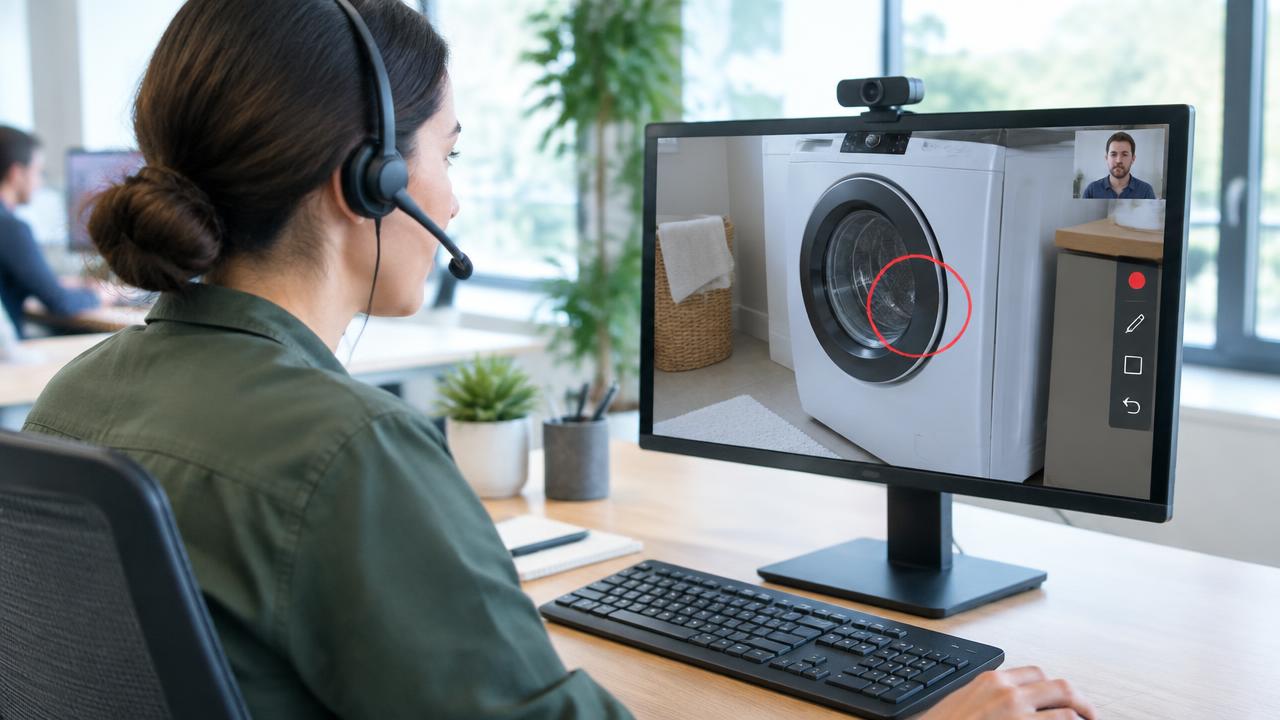
Virtual Support Pro is built for one job: letting a support team see the customer's problem and guide them to a fix on the first call. The agent sends a secure single-use link by text or email. The customer taps it and joins from their phone's web browser. No app, no download, no account.
What it does best:
Live video plus screen share in one session. The agent can look at the physical equipment through the phone camera, then switch to the customer's screen if the fix involves an app or setting.
Live markup. Agents point, circle and draw directly on the live video, so "the valve on the left" becomes a red circle on the actual valve.
AI Agent Assist. While the call runs, AI suggests troubleshooting steps from your own knowledge base, reads serial numbers and labels from the video, and drafts the session summary.
Documented resolutions. Photos, notes, recordings and a written summary attach to every session, with timestamps and location data, so you have proof of what was seen and done.
View-and-guide only. Agents can never take control of the customer's device. That makes approval from security teams, and trust from customers, much easier.
Pricing: published plans start at $149 per month (Pro), with Growth at $499 and Scale at $999, plus custom Enterprise pricing for 750+ sessions a month. A 14-day free trial is available. See the pricing page.
Best for: equipment and appliance makers, home services, property management, utilities, insurance, field service and any team that currently "rolls a truck" to look at a problem.
Not ideal for: IT teams that need unattended access to control servers and workstations. Use a remote desktop tool from this list for that.
Why it is #1: for customer-facing visual support, the two biggest drivers of results are how fast a customer can join and whether the agent can see the real problem. Browser-based joining, video plus screen share, and AI that drafts the documentation address both. It is also built by people who have run thousands of remote video sessions in the field, and its sister product, Virtual Inspection Pro, handles formal remote inspections on the same platform.
2. TeamViewer: best all-round remote desktop
TeamViewer is one of the best-known names in remote access. It supports attended and unattended connections across Windows, macOS, Linux, iOS and Android, and offers enterprise options for device management and an augmented-reality product line for frontline work.
Strengths: very broad device support, mature enterprise features, large user base and plenty of documentation.
Watch-outs: customers usually need to download a client, and licensing has many tiers and add-ons, so compare plans carefully.
Best for: organizations that need one remote access platform for IT across many device types.
3. ConnectWise ScreenConnect: best for MSPs
ScreenConnect (formerly ConnectWise Control) is popular with managed service providers. It offers on-demand and unattended access, deep customization and branding, and both cloud and self-hosted options.
Strengths: granular control, strong integrations with the wider ConnectWise ecosystem, self-hosting for teams that want it.
Watch-outs: self-hosted deployments must be kept patched promptly, as with any internet-facing remote access server.
Best for: MSPs and internal IT teams that support many clients.
4. BeyondTrust Remote Support: best for security-heavy enterprises
BeyondTrust (formerly Bomgar) focuses on secure, auditable remote access. It emphasizes privileged access controls, session recording and detailed audit trails, with cloud and appliance deployment options.
Strengths: strong compliance and access-control features, popular in government, healthcare and finance.
Watch-outs: enterprise-oriented pricing and setup; overkill for small teams.
Best for: regulated organizations where every remote session must be controlled and recorded.
5. Splashtop: best value remote desktop support
Splashtop offers remote access and attended support (its SOS product lets customers connect with an app run from a quick download, without installation). It is known for straightforward, published pricing.
Strengths: good performance, clear pricing, solid feature set for the price.
Watch-outs: fewer enterprise extras than the largest platforms.
Best for: small and mid-size IT and help desk teams watching their budget.
6. AnyDesk: best for fast, lightweight connections
AnyDesk is a lightweight remote desktop client designed for speed and low latency, available on all major operating systems.
Strengths: small download, responsive connections even on slower networks.
Watch-outs: like any popular remote desktop tool, it is sometimes misused in scams that trick people into granting access, so train customers to only accept sessions they initiated.
Best for: individual technicians and small teams who want quick remote control.
7. Zoho Assist: best for Zoho users
Zoho Assist provides on-demand and unattended remote support from the browser, and connects with Zoho Desk and other Zoho apps.
Strengths: affordable entry plans, good integration with the Zoho suite, browser-based technician console.
Watch-outs: best value comes when you already use other Zoho products.
Best for: small businesses running their help desk on Zoho.
8. GoTo Resolve: best combined support and IT management
GoTo Resolve combines remote support, unattended access, ticketing and basic device management in one product from GoTo (the company behind LogMeIn).
Strengths: an all-in-one starting point for small IT teams.
Watch-outs: larger help desks may outgrow its ticketing.
Best for: small IT departments that want fewer separate tools.
9. LogMeIn Rescue: best for large help desks
LogMeIn Rescue is built for high-volume help desks and contact centers, with technician consoles, session routing, reporting and support for computers and smartphones. It also offers a camera-sharing option for seeing physical problems.
Strengths: proven at scale, strong reporting and team management.
Watch-outs: priced for enterprise help desks.
Best for: large support centers with many agents.
10. RealVNC Connect: best for cross-platform and embedded access
RealVNC comes from the team behind the original VNC technology. Connect offers cloud-brokered and direct connections across desktop platforms and devices such as Raspberry Pi.
Strengths: wide platform coverage, including embedded and industrial devices.
Watch-outs: focused on access rather than customer-service workflows.
Best for: engineers and IT teams managing mixed or embedded systems.
11. SightCall: best enterprise visual assistance
SightCall is a visual assistance platform for large field-service and customer-service organizations, with browser-based video sessions, AR annotation and integrations with major enterprise service platforms.
Strengths: enterprise integrations and a long track record in visual support.
Watch-outs: enterprise sales process; pricing generally not published.
Best for: large enterprises standardizing on a major service management platform.
12. Help Lightning: best for expert-to-technician guidance
Help Lightning uses "merged reality," letting a remote expert place their hands into the technician's video view to demonstrate a repair.
Strengths: very intuitive for hands-on guidance between trained experts and field technicians.
Watch-outs: designed mostly for internal technician support rather than consumer-facing calls.
Best for: manufacturers and service organizations supporting their own field teams.
Comparison table
| Tool | Type | Customer joins without install? | Sees physical problems? | Published pricing? |
|---|---|---|---|---|
| Virtual Support Pro | Visual + screen share | Yes (browser link) | Yes | Yes |
| TeamViewer | Remote desktop | Usually needs a client | Via separate AR products | Yes |
| ConnectWise ScreenConnect | Remote desktop | Quick client download | No | Yes |
| BeyondTrust | Remote desktop | Quick client download | Limited | Quote |
| Splashtop | Remote desktop | Run-only app | No | Yes |
| AnyDesk | Remote desktop | Small client | No | Yes |
| Zoho Assist | Remote desktop | Small client | No | Yes |
| GoTo Resolve | Remote desktop + IT | Small client | Limited | Yes |
| LogMeIn Rescue | Remote desktop | Small client | Yes (camera add-on) | Yes |
| RealVNC Connect | Remote desktop | Needs software | No | Yes |
| SightCall | Visual assistance | Yes (browser) | Yes | Quote |
| Help Lightning | Visual assistance | App typical | Yes | Quote |
Table entries are general summaries from vendor websites as of October 2026 and may differ by plan. Confirm with each vendor.
What to look for in virtual support software
Zero-install joining. For customer-facing support, a browser link beats an app download every time.
Video and screen in one session. Real problems often involve both a device and an app.
Annotation that sticks to the video. Pointing and drawing removes guesswork.
Automatic documentation. Photos, recordings and summaries protect you in disputes, warranty claims and audits.
Security by design. Encrypted sessions, single-use links, role permissions and audit logs. Prefer view-and-guide when you don't need device control.
AI that saves agent time. Suggested steps and drafted summaries cut handling time and help newer agents perform like veterans.
Clear pricing and a real trial. Test with your own customers before you commit.
How visual remote support pays off
Every service visit avoided saves drive time, fuel and technician hours, and the customer gets help the same day. Even when a visit is still needed, a video call first means the technician arrives with the right part, which raises first-time fix rates. In my own inspection work, moving routine visual checks to live video turned a day of driving into several completed sessions from one desk. Support teams see the same pattern: the eyes and judgment of an expert are what matter, not the miles.
Frequently asked questions
What is the best remote support software?
It depends on the problem. For visual, customer-facing support where agents need to see real equipment, we rank Virtual Support Pro #1. For IT remote desktop control, TeamViewer, ScreenConnect and BeyondTrust are leading choices.
What is virtual support software?
Virtual support software lets an agent help a customer remotely through live video, screen sharing and annotation, instead of sending someone on site.
Is remote support software safe?
Reputable tools encrypt sessions and log activity. The biggest risk is scammers persuading people to grant remote control. View-and-guide tools that never take device control, and single-use links that your team sends, reduce that risk.
Do customers need to download an app?
Most remote desktop tools need a small client. Browser-based visual support tools like Virtual Support Pro do not; the customer just taps a link.
Can I try Virtual Support Pro for free?
Yes. Request a 14-day free trial and our team will contact you to set up your account, or call (855) 557-2887.
The bottom line
Pick the category first: remote desktop for screens, visual support for the physical world. If your team supports customers with real-world equipment, start a free trial of Virtual Support Pro and run your next ten support calls over live video. You will know within a week whether it cuts truck rolls for your team. For more background, read our guide to remote visual inspection and browse the FAQ.
Sources
Virtual Support Pro product and pricing: virtualinspection.ai/virtual-support-pro
TeamViewer: teamviewer.com
ConnectWise ScreenConnect: screenconnect.connectwise.com
BeyondTrust Remote Support: beyondtrust.com/remote-support
Splashtop: splashtop.com
AnyDesk: anydesk.com
Zoho Assist: zoho.com/assist
GoTo Resolve: goto.com/it-management/resolve
LogMeIn Rescue: logmein.com/rescue
RealVNC Connect: realvnc.com
SightCall: sightcall.com
Help Lightning: helplightning.com
FTC guidance on tech support scams: consumer.ftc.gov